

Free Webflow templates give designers, startups, and freelancers a fast way to launch portfolios, blogs, and simple business sites at zero cost. But they come with real limits—shallow page variety, basic CMS (capped at 50 items), and weak conversion sections. Paid templates exist to fill these exact gaps with deeper design, full CMS flexibility, and industry-specific pages.
Every designer, startup founder, or freelancer searching for the best free Webflow templates wants the same thing: a professional-looking site without spending money upfront. That's a reasonable goal. Webflow's marketplace offers over 93 free templates across categories like portfolio, blog, retail, and SaaS.
But here's what most template lists won't tell you: free doesn't mean complete. Free Webflow templates work well for experiments, MVPs, and simple projects. They fall short when you need deep CMS structures, multi-page layouts, or conversion-optimized sections for real business use.
Webflow now powers over 493,000 active websites with a 1.2% CMS market share and a 10% compound annual growth rate—so the platform's templates are being put to serious work across industries (Webflow Market Share Statistics – Enricher.io).
In this guide, you'll learn:
- Which free templates are genuinely worth using
- Where they hit their ceiling
- Which paid templates fix those exact problems
What Free Webflow Templates Are Good For (and Where They Fall Short)
Free Webflow templates shine in specific scenarios. They're ideal for testing a business idea before committing budget, building a personal portfolio quickly, launching a simple blog, or learning how Webflow works as a platform.
Webflow itself creates many of these free templates, and the community contributes additional options that pass Webflow's quality review process. You get responsive layouts, basic CMS capabilities, and access to Webflow's visual design tools at no cost.
Where they fall short is predictable. Free templates typically offer basic page structures with limited customization options, fewer pre-built sections and components, and no dedicated support from the template creator.
The free plan also caps CMS items at 50, compared to 2,000 on paid plans (learn more in Brandbes's Webflow CMS Pricing Guide). When your site needs to grow beyond a handful of pages or handle dynamic content at scale, free templates start holding you back.
Best Free Webflow Templates (Honest Review)
Uncommon - Portfolio Template
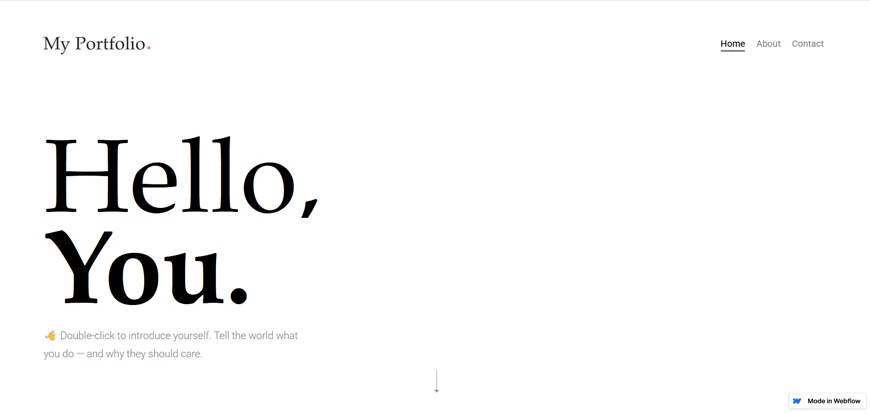
Uncommon is a free portfolio template made by the Webflow team. It features a modern, responsive, and dynamic layout designed for creatives who need to showcase work quickly.
- Price: Free
- Creator: Webflow
- Pages: CMS-powered portfolio pages + utility pages
- Pros: Webflow CMS for dynamic content, smooth animations, global swatches for easy color theme changes, customizable forms, style guide included
- Cons: Limited to portfolio use cases only. No blog, no services pages, no conversion-focused sections. Customizing beyond the existing layout requires significant manual effort.
- Best for: Freelance designers or photographers who need a clean portfolio to get up fast.
Escape - Webflow Template
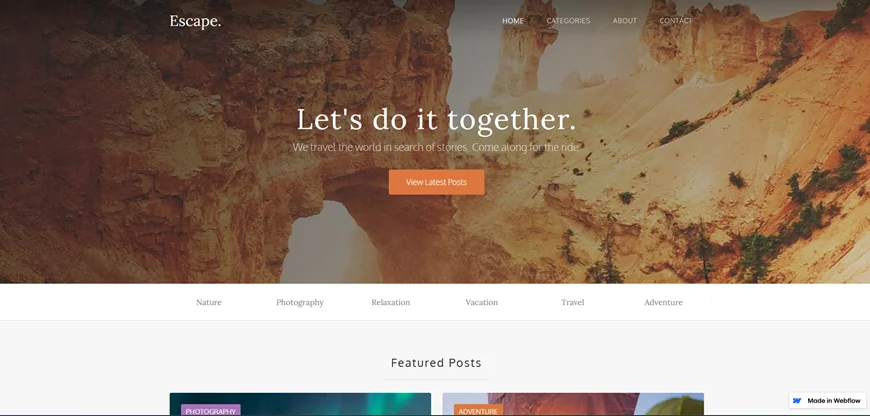
Escape is a simple, versatile free blog template created by Webflow. It's built for photographers, bloggers, and content creators who want a clean reading experience.
- Price: Free
- Creator: Webflow
- Pros: Supports multiple authors, easy post categorization via CMS, email collection forms on every page, smooth interactions throughout
- Cons: Minimal page variety beyond blog posts. No dedicated landing pages, service showcases, or lead generation funnels. Design feels basic compared to premium blog templates.
- Best for: Personal bloggers, travel writers, or anyone testing a content-first website idea
ProFileX - Portfolio & Agency Template
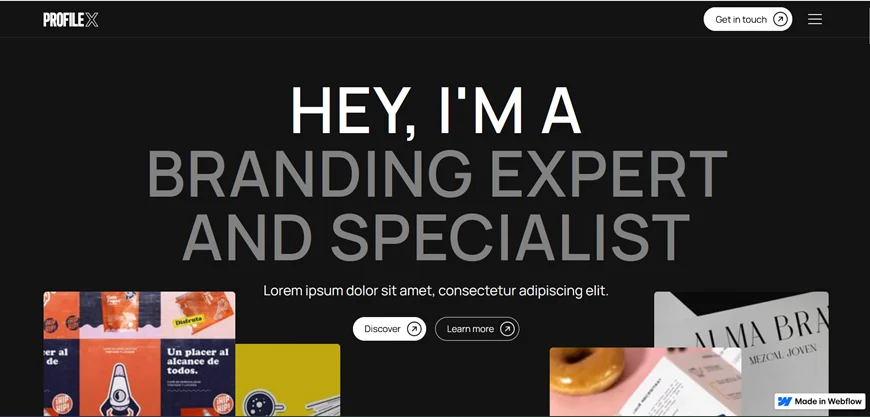
ProFileX by Influx® is a clean free template built for designers, photographers, freelancers, and boutique agencies. It follows the Client-First naming structure, making it easier for experienced Webflow users to customize.
- Price: Free
- Creator: Influx®
- Pages: Home, About, Projects (CMS), Contact
- Pros: CMS integration for projects, Client-First class naming structure, clean and intuitive layout, all images included for commercial use
- Cons: Limited to four core pages. No blog, no pricing page, no case study templates. Scaling to a full business site requires adding pages from scratch.
- Best for: Freelancers and small agencies who want a structured, easily editable portfolio
Cluster - SaaS Landing Page Template
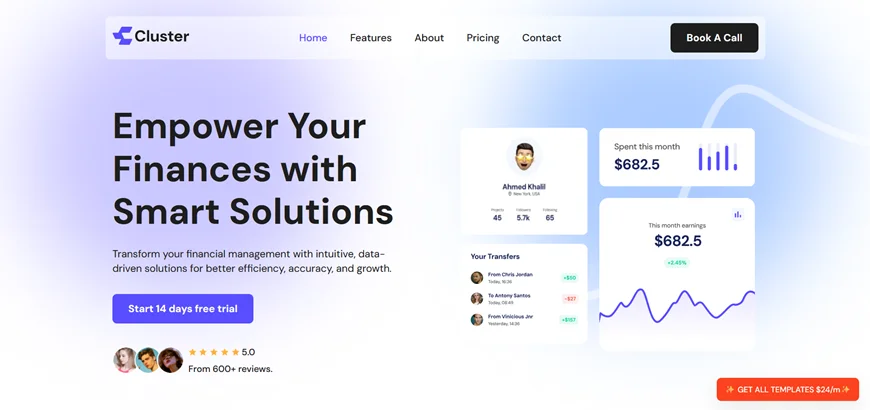
Cluster is a futuristic, conversion-driven free template designed for SaaS and tech startups. It stands out among free options for actually including pricing and demo sections.
- Price: Free
- Creator: Flow Samurai
- Pros: Bold hero section with interactive elements, pricing tiers and comparisons, testimonials and social proof, integration/API showcase, micro-interactions and scroll-based animations, product demo sections
- Cons: Landing page structure only—no multi-page site architecture. Adding about, blog, or documentation pages means building from scratch. Animations may need performance optimization on slower devices.
- Best for: SaaS founders who need a quick landing page to validate an idea or capture early leads.
Scrollvibe - Portfolio & Agency Website Template
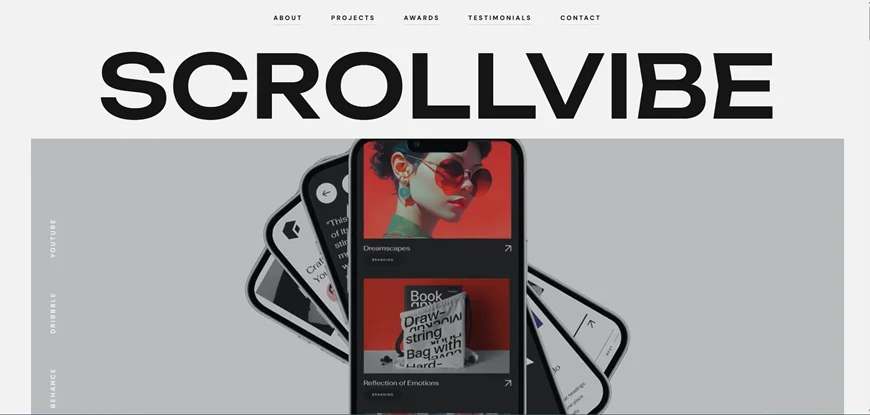
Scrollvibe by Silverrost is a free one-page professional services template with scroll animations. It's lightweight and loads fast, making it a decent choice for agencies and creative professionals.
- Price: Free
- Creator: Silverrost
- Pages: One-page + Projects inner page
- Pros: Professionally set layout and typography, original scroll animations (Silverrost's signature style), customizable colors including animated lines, lightweight build
- Cons: One-page structure limits content depth. No dedicated services, team, or pricing pages. Not suitable for businesses needing multi-page navigation or deep content hierarchies.
- Best for: Creative professionals or small agencies who want a fast, visually engaging one-pager
Common Limitations of Free Webflow Templates
After working with free templates, the same pain points keep surfacing:
- Limited CMS flexibility: The free Webflow plan caps CMS items at 50. The CMS plan supports up to 2,000 items, and the Business plan goes to 10,000.
- Shallow page variety: Most free templates ship with 4–8 pages. Real business sites need 15–25+ pages covering services, case studies, team profiles, pricing, and legal pages.
- Weak conversion sections: Free templates rarely include booking systems, pricing tables, lead capture funnels, or testimonial layouts designed to convert visitors.
- Design reuse: Popular free templates get cloned thousands of times. Your site risks looking identical to competitors who picked the same template.
- Minimal support: Free templates rely on community forums for help. Premium templates typically offer direct creator support within 2 business days.
- No regular updates: Free template creators often move on to new projects, leaving your template outdated as Webflow evolves.
These aren't dealbreakers for experiments or personal projects. But for a business site that needs to earn trust, generate leads, and scale over time, they become real obstacles.
Paid Webflow Templates That Solve Free Template Limitations
If you outgrow free templates, these paid Webflow templates from Webflow solve the most common gaps. Each template is priced starting at $39 USD and built with full Webflow CMS, responsive design, SEO optimization, and direct creator support.
Voxnava — AI & SaaS Startup Template
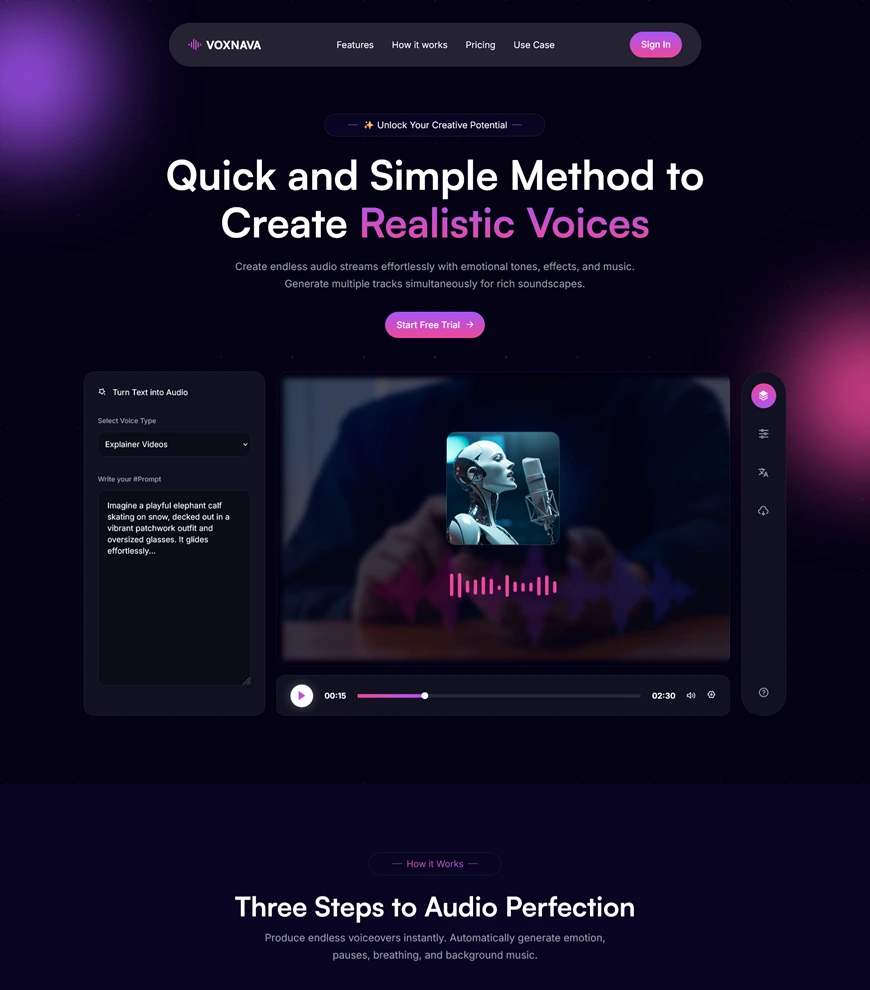
Voxnava is a modern AI voice generator website template with a dark mode design, built for startups launching audio AI, text-to-speech, or voice-cloning platforms. It includes hero sections, pricing tables, sign-up/sign-in flows, and testimonial sections.
- Pages: 10 (8 static + 2 utility) — Home, Sign Up, Sign In, Contact, Style Guide, Licenses, Changelog, Instruction, Password, 404
- Key features: Dark mode SaaS design, Webflow CMS, SEO-optimized, fast-loading, responsive
- Best for: AI startups, SaaS platforms, text-to-speech tools, voice AI product
- Price: $39
Learn more about top Webflow ecommerce templates on Brandbes
Levor - Retail & E-Commerce Website Template
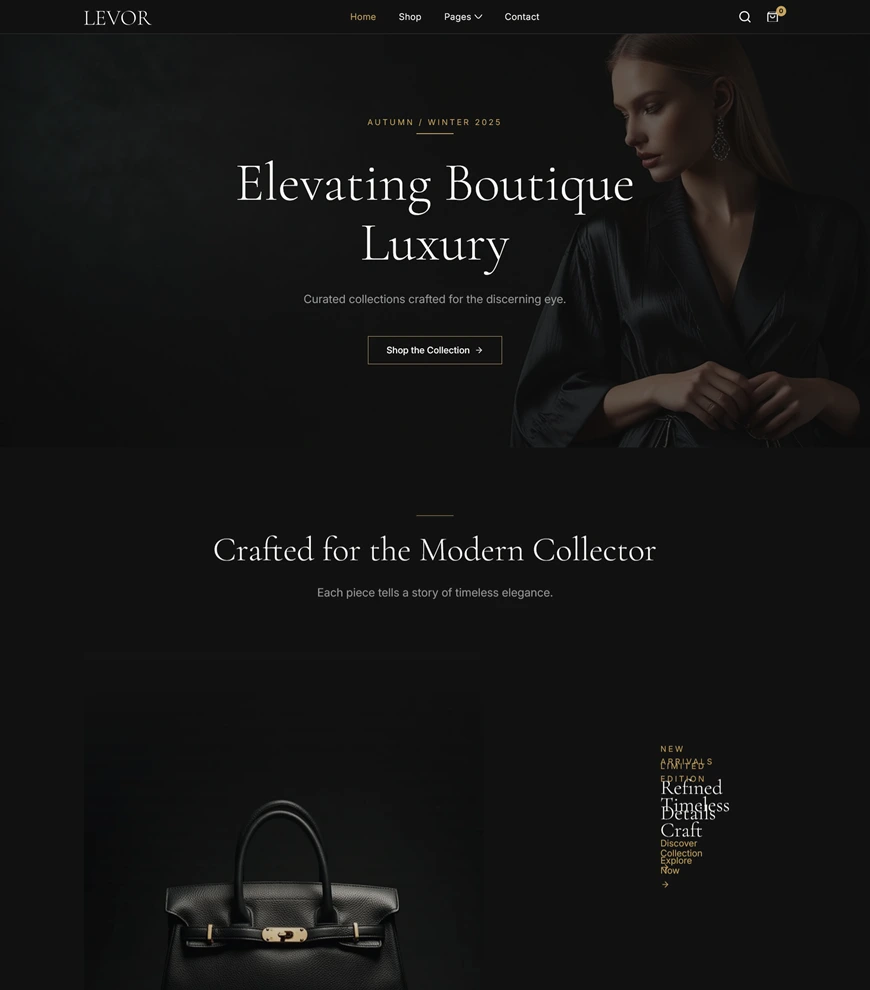
Levor is a stunning ecommerce Webflow template designed for fashion brands, boutique owners, jewelry stores, and lifestyle businesses.
- Pages: 18 (11 static + 4 CMS + 3 utility) — Home, About, Shop, Product Collection, Login, Blog, Contact, and more
- Key features: Smooth animations, clean typography, Webflow CMS for products and blog, SEO-optimized, fast-loading
- Best for: Fashion brands, beauty stores, jewelry shops, lifestyle ecommerce businesses.
- Price: $59
Asuric — Insurance & Professional Services Template

Asuric is a trust-focused insurance Webflow template with dedicated pages for life, health, auto, and business insurance. The consultation booking system lets clients schedule appointments directly.
- Pages: 21 (14 static + 5 CMS + 2 utility) — Home, Insurance service pages (Life, Health, Auto, Business), Agent profiles, Pricing, Blog, Contact, Appointment Booking
- Key features: Consultation booking system, agent profile pages, testimonial sections, full CMS, SEO-optimized
- Best for: Insurance agencies, brokers, financial advisors, professional service firms
- Price: $59
Obitro — Funeral & Memorial Services Template
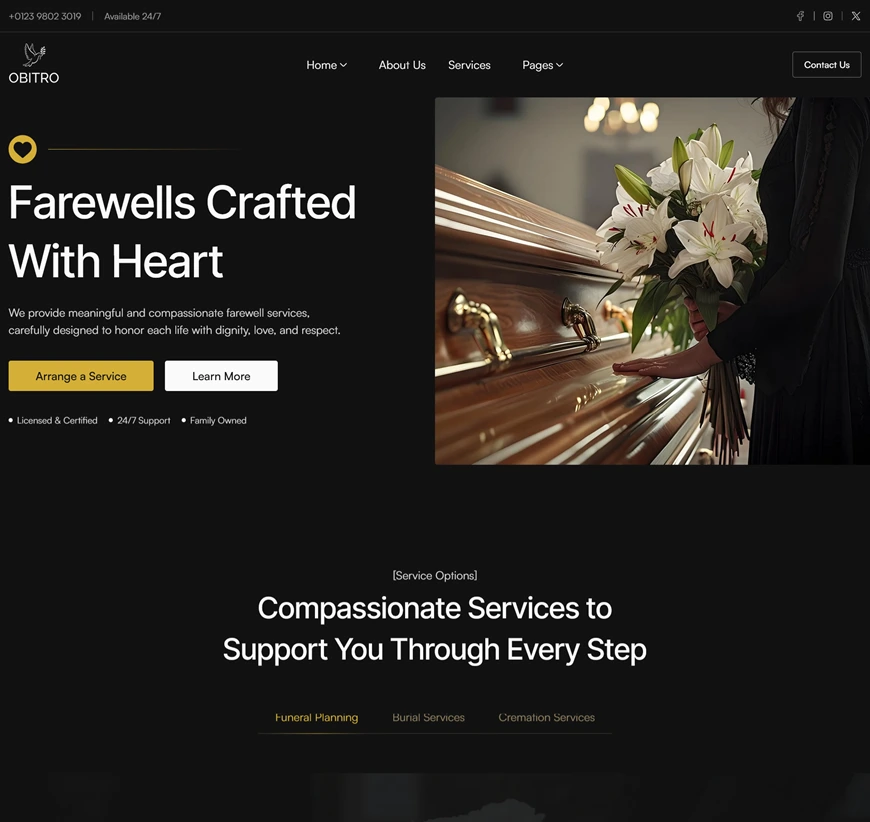
Obitro is a funeral website template with obituary sections, service details, transparent pricing, and blog content for grief support. Every page maintains a respectful, dignified design.
- Pages: 17 (12 static + 3 CMS + 2 utility) — 2 Home pages, About Us, Obituaries, Services, Pricing, Blog, Contact, Instruction, Password, 404
- Key features: CMS-powered obituaries and tributes, 3 customizable pricing plans, SEO-friendly, fast-loading, responsive
- Best for: Funeral homes, memorial services, crematoriums, bereavement counselors, monument companies
Axiona — AI/ML Technology Template

Axiona is a modern AI/ML technology website template built with Webflow CMS. It includes two homepage variations, service pages, case study templates, and a blog.
- Pages: 21 — 2 Home pages, About, Services, Case Studies, Blog, Contact + CMS collection pages for blog posts, case studies, and service details
- Key features: Case study CMS templates, multi-service showcase, AI/Cloud/VR/Robotics content support, SEO-optimized, fast-loading
- Best for: AI startups, machine learning platforms, data science firms, robotics automation companies
- Price: $59
Free vs Paid Webflow Templates
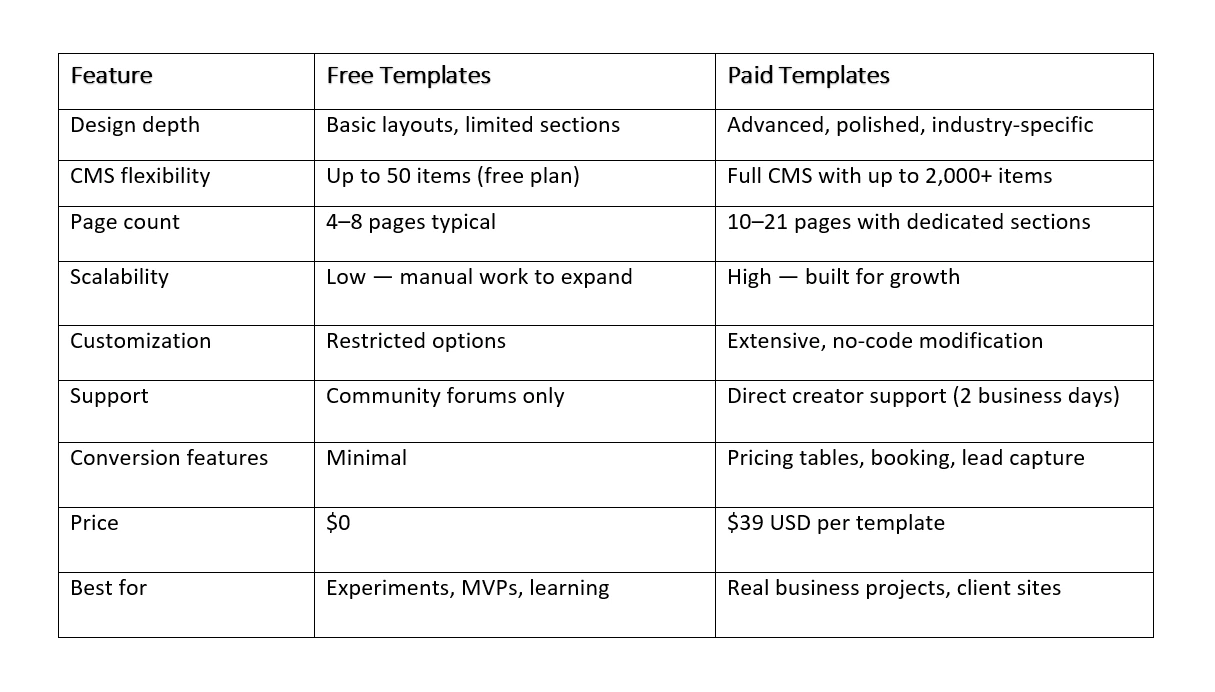
How to Decide Between a Free or Paid Webflow Template
Use this checklist to make the right call:
- Project scope: Is this a simple portfolio or a multi-page business site? Free works for the former; paid handles the latter.
- Business goals: Are you generating revenue from this site? If yes, invest in a template built for conversions.
- Timeline: Free templates require more manual customization. Paid templates ship ready with 10–21 pages.
- CMS needs: If you need more than 50 CMS items or dynamic content like case studies and team profiles, go paid.
- Growth plan: Will this site need to scale with new pages, services, or product lines? Paid templates are architecturally built for expansion.
Brand differentiation: If thousands of other sites use the same free template, your brand suffers. Paid templates see far less reuse.
Frequently Asked Questions
Are free Webflow templates good enough for real projects?
For personal portfolios, simple blogs, and quick MVPs—yes. For business sites that need to build trust, capture leads, and scale over time, free templates usually fall short on page depth, CMS flexibility, and conversion features.
What are the biggest limitations of free Webflow templates?
The most impactful limitations are CMS caps (50 items on the free plan), shallow page variety (typically 4–8 pages), no dedicated support, lack of conversion-focused sections, and design reuse across thousands of sites.
When should I switch to a paid Webflow template?
Switch when your project requires industry-specific pages, a booking or lead capture system, case studies, team profiles, or a blog with more than a handful of posts. At $39 per template, paid options pay for themselves in saved development time.
Do paid Webflow templates perform better?
Paid templates from reputable designers like Brandbes are built with clean code, fast loading, SEO optimization, and regular updates. They also include detailed style guides and direct support within 2 business days, which directly impact long-term site performance and maintenance.
Implementation Checklist
- Choose a template based on your actual project goal, not just aesthetics
- Validate that the template's CMS structure matches your content needs
- Test responsiveness across mobile, tablet, and desktop before committing
- Review the page count—ensure it covers your core sections (home, about, services, contact, blog)
- Plan for future growth: can you add pages and sections without rebuilding?
- Check support options—can you contact the template creator if you get stuck?
Final Thought
Free Webflow templates are a genuine starting point, not a compromise. They let you prototype, learn the platform, and launch simple projects at zero cost.
But when your project demands depth, more pages, stronger CMS, conversion-focused design, and industry-specific structure, paid templates started at $39 from Brandbes are built to close that gap.
Explore Voxnava, Levor, Asuric, Obitro, and Axiona to see what a purpose-built template looks like.
Choose based on where your project is headed, not just where it is today.

